Native ad assets
Note
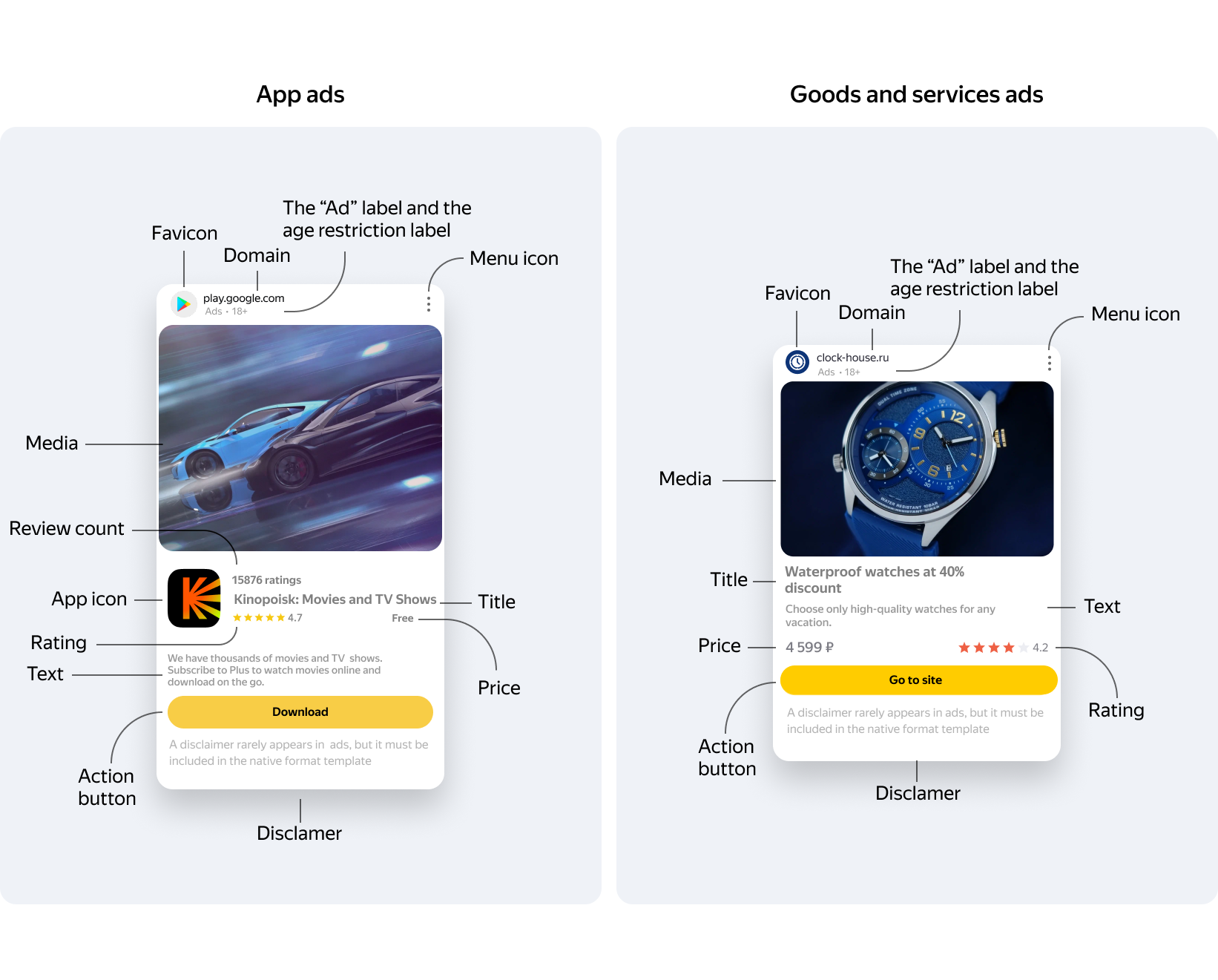
The library includes both required and optional assets. The advertising rules only stipulate the use of the required assets. However, in practice, layouts with a complete set of assets yield higher click-through rates. Because of this, we recommend using designs that include all available assets.
|
Ad asset |
Asset |
Type |
Mandatory |
|
Title |
title |
TextView |
Yes |
|
Domain |
domain |
TextView |
Yes |
|
Disclaimer |
warning |
TextView |
Yes |
|
The “Ad” label and the age restriction label |
sponsored |
TextView |
Yes |
|
Menu icon |
feedback |
ImageView |
Yes |
|
Media |
media |
MediaView |
Yes |
|
App icon |
icon |
ImageView |
Yes, for in-app ads |
|
Price |
price |
TextView |
Yes, for in-app ads |
|
Action button |
callToAction |
TextView |
No |
|
Favicon |
favicon |
ImageView |
No |
|
Review count |
reviewCount |
TextView |
No |
|
Rating |
rating |
View implements Rating interface |
No |
|
Text |
body |
TextView |
No |
The list of required assets defines the set of data that must be assigned a View for rendering when those assets are present.
When connecting to the Yandex Advertising Network via Google AdMob, you must provide the store/storeView, which is needed to pass the required domain asset. If the storeView isn't registered or displayed, the impression may not be counted. For compact layouts, you can use a separate, single-line TextView without a signature, registered as the storeView.
Tip
We recommend using a layout that can fit the full set of required and optional ad assets.