Guide to migrating AppLovin from Waterfall to Open Bidding
AppLovin interface
-
Log in to your AppLovin account and go to MAX → Manage → Ad Unit.
-
Disable ad units with a custom Yandex adapter.
-
Create a new ad unit.
-
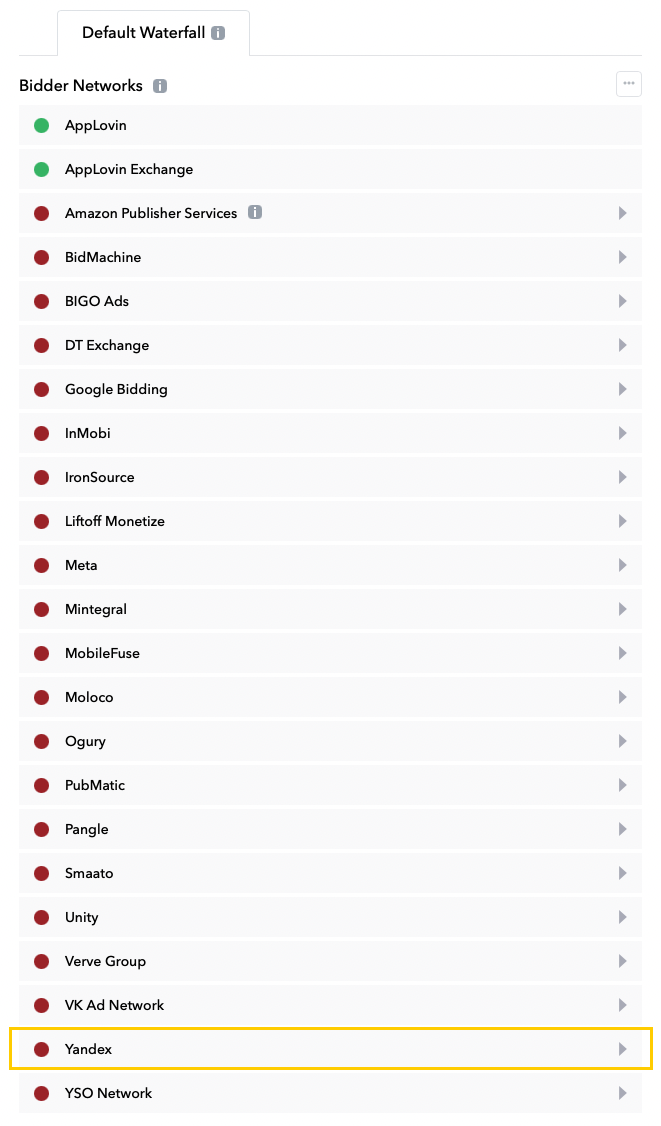
Select Yandex from the list of bidding networks.
-
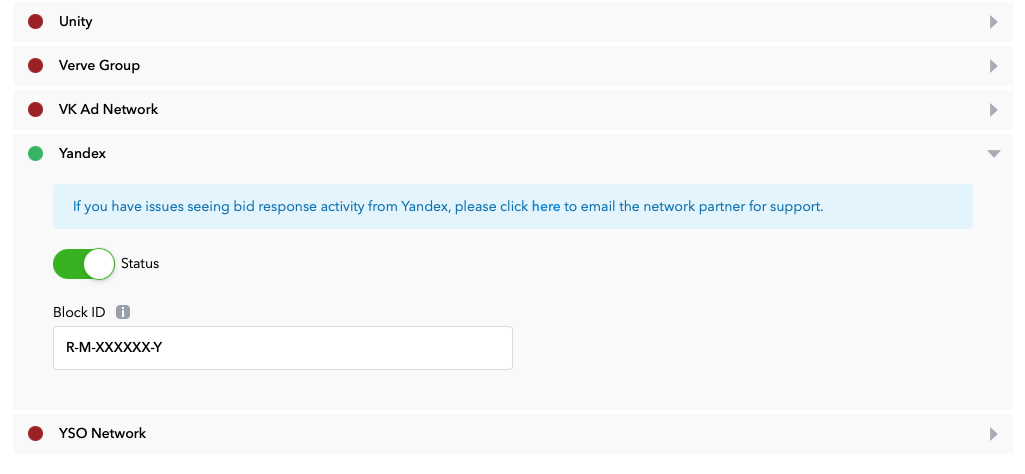
Click the status bar to activate the network.
-
Specify Ad Unit ID from the Yandex Advertising Network interface.
Use demo ad unit IDs to test ads:
-
Banner ads:
demo-banner-yandex. -
Interstitial ads:
demo-interstitial-yandex. -
Rewarded ads:
demo-rewarded-yandex.
-
-
Click Save. This adds Yandex to the bidding networks list for this ad unit.
iOS setup
Remove the dependency from your Podfile:
pod 'AppLovinYandexMobileAdsAdapters'
Add the dependency:
pod 'AppLovinMediationYandexAdapter'